

Aluminum Housing
The upper and lower aluminum covers create a rigid enclosure around the motherboard and internal components while also helping transfer heat away from the system.
The CW-S5 is available with three 11th Gen Intel Core processor options. Choose the Core i3 for lightweight network services, the Core i5 for balanced multitasking, or the Core i7 for higher turbo frequency and more demanding simultaneous workloads.
| Processor | Architecture | Core Layout | Cores / Threads | Maximum Turbo | Smart Cache | Configurable TDP | Integrated Graphics | Recommended Use |
|---|---|---|---|---|---|---|---|---|
| Intel Core i3-1115G4 | Tiger Lake |
2 Performance Cores |
2 Cores 4 Threads |
Up to 4.10 GHz |
6 MB | 12–28 W |
Intel UHD Graphics 48 EUs |
Basic Network Services |
| Intel Core i5-1135G7 | Tiger Lake |
4 Performance Cores |
4 Cores 8 Threads |
Up to 4.20 GHz |
8 MB | 12–28 W |
Intel Iris Xe Graphics 80 EUs |
Balanced Multitasking |
| Intel Core i7-1185G7 | Tiger Lake |
4 Performance Cores |
4 Cores 8 Threads |
Up to 4.80 GHz |
12 MB | 12–28 W |
Intel Iris Xe Graphics 96 EUs |
Higher Performance |
Selection guidance: Choose the Core i3-1115G4 for basic routing, office applications and lightweight network services. The Core i5-1135G7 is the balanced option for homelab use, multitasking and moderate virtualization. Choose the Core i7-1185G7 when higher turbo frequency and heavier simultaneous workloads are priorities.
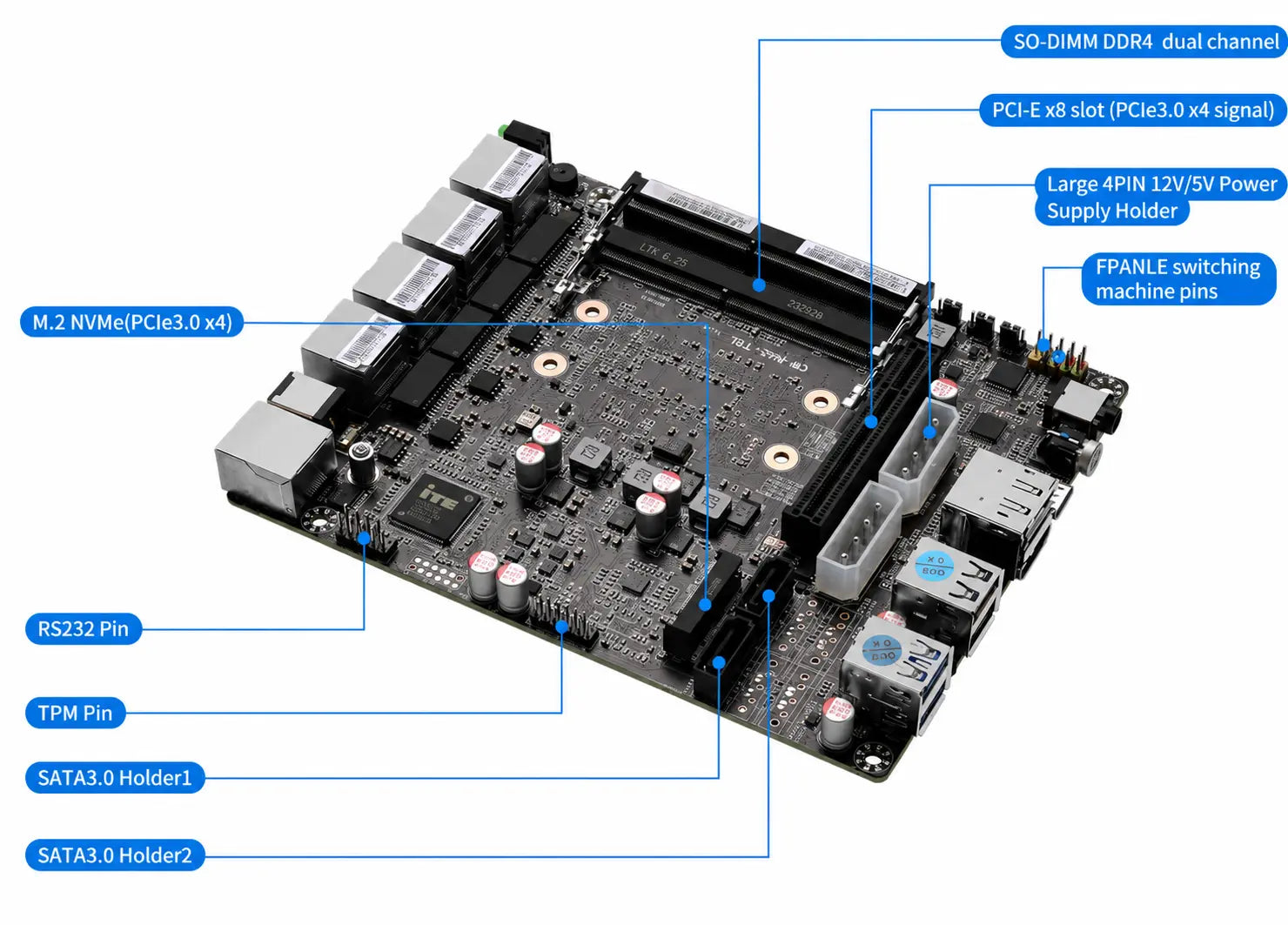
The CW-S5 motherboard combines dual-channel DDR4 memory, one M.2 NVMe interface, two native SATA 3.0 connections and four onboard Intel i226-V 2.5GbE network ports. Its PCIe x8 physical slot uses PCIe 3.0 x4 signaling to support the dual-port 10GbE SFP+ network configuration, providing flexible hardware resources for routing, virtualization, NAS connectivity and homelab workloads.

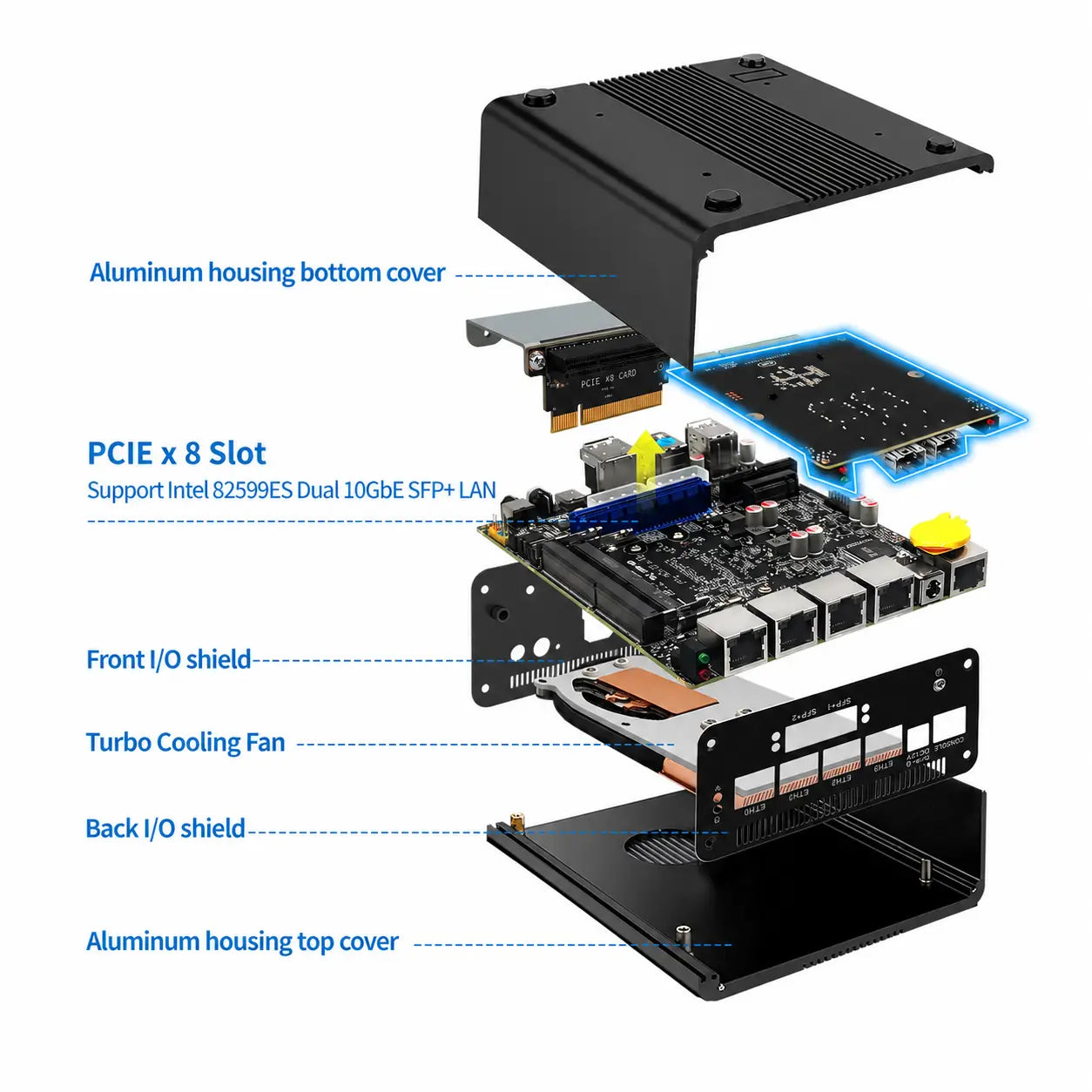
The CW-S5 uses a layered internal structure that integrates the aluminum housing, motherboard, PCIe network expansion hardware, cooling assembly and front and rear I/O shields into one compact system. This design provides the structural support, airflow and interface layout required for continuous networking, storage and virtualization workloads.
The upper and lower aluminum covers create a rigid enclosure around the motherboard and internal components while also helping transfer heat away from the system.
A PCIe x8 physical interface with PCIe 3.0 x4 signaling connects the Intel 82599ES dual-port 10GbE SFP+ network card to the CW-S5 motherboard.
Dual heat pipes and an integrated turbo fan move heat away from the processor area, providing active cooling during sustained routing, multitasking and virtualization workloads.
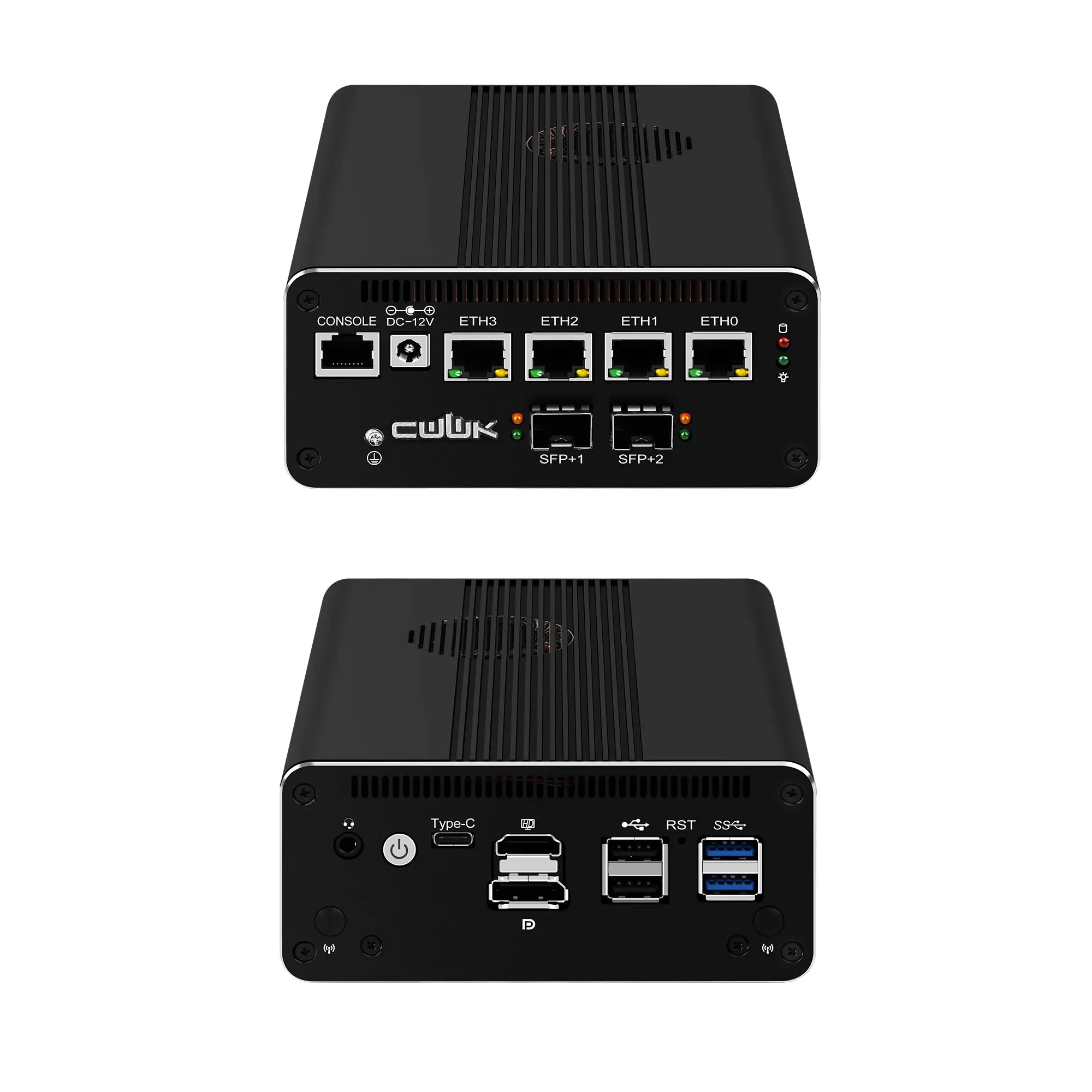
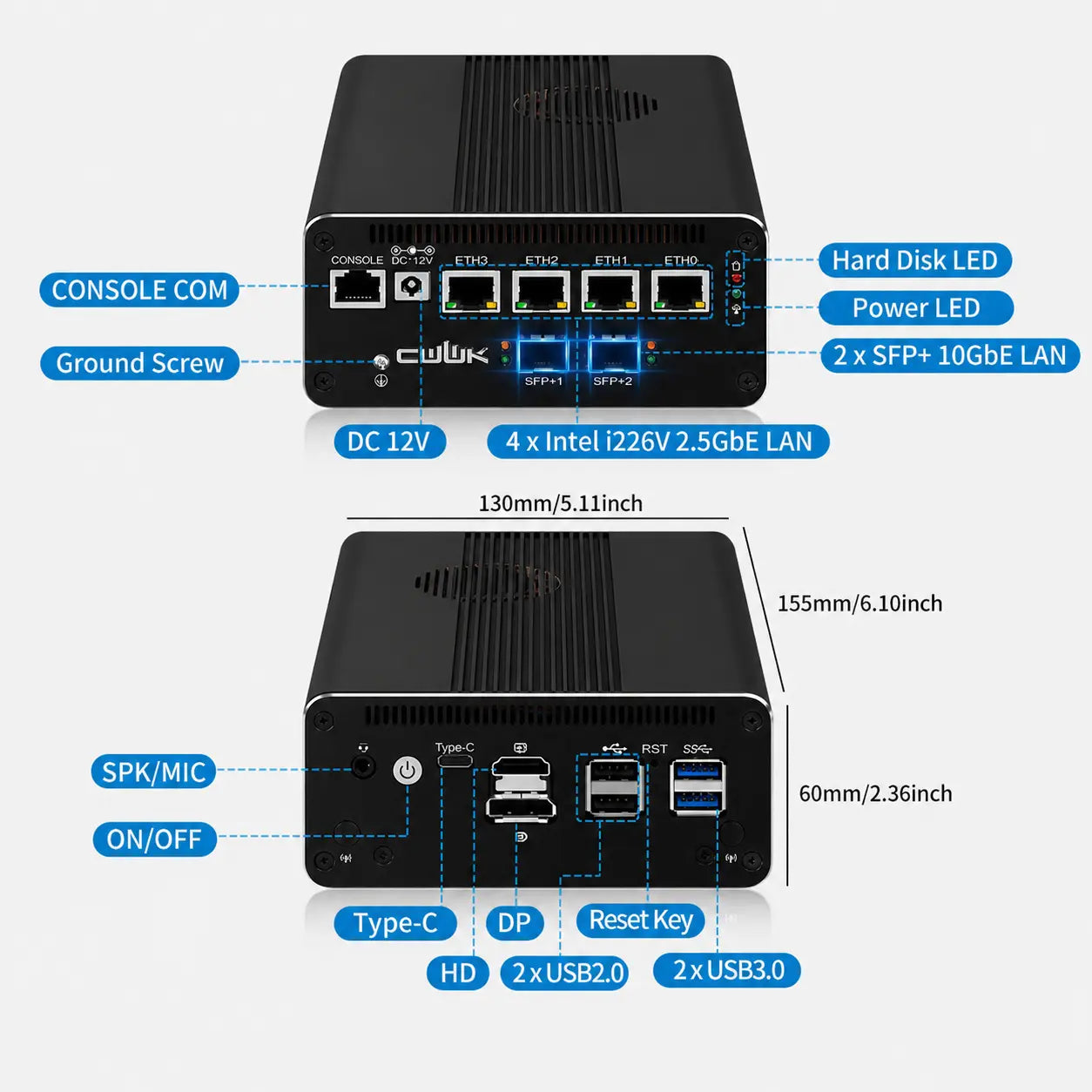
Dedicated front and rear I/O shields align and protect the USB, display, console, 2.5GbE RJ45 and dual 10GbE SFP+ interfaces while maintaining a clean external layout.
Structure overview: The CW-S5 combines four onboard Intel i226-V 2.5GbE RJ45 ports with two 10GbE SFP+ ports in a compact aluminum chassis with integrated active cooling.
The CW-S5 uses dual heat pipes and turbo fans to provide active cooling for its 11th Gen Intel Core processor. This compatible 75 × 70 × 8 mm CPU fan can be used as a replacement or maintenance accessory for supported CW-S5 configurations.

The low-profile fan is designed for compatible CWWK block chassis systems. It supports airflow around the processor cooling assembly while maintaining the compact internal structure of the CW-S5.
Note: The CW-S5 already includes an active cooling assembly with dual heat pipes and turbo fans. This product should be treated as a compatible replacement or maintenance accessory. Check the fan connector, installation position and selected package contents before ordering.
Four mounting holes on the bottom of the CW-S5 allow the system to be installed with compatible VESA mounting hardware. Positioning the mini PC behind a monitor helps free up desk space, reduce visible cabling and create a more organized workstation while keeping the network and display interfaces available for everyday use.

Installation note: Compatible VESA screw posts, mounting brackets and installation hardware may vary by monitor and package. Review the selected CW-S5 package contents and the mounting pattern of your display before installation.